
WordPress Ad Blocks That Earn Without Slowing Pages
I was reading a long tutorial the other day, got to a natural break between sections, and there was a sponsor message that actually fit what I was learning. I didn’t mind it at all. That’s the promise of well-managed WordPress ad blocks. But drop that same ad into a crowded header, or inject it before the first useful sentence, and you get the opposite… lower trust, slower pages, and a quick trip back to the search results.
I think a lot of people treat ad blocks like empty slots waiting for creative. They’re really placement decisions. If you’re a publisher, a blogger, or an agency, the goal is to make advertising part of a sustainable content business without your site feeling like an ad network first and a publication second.
What WordPress Ad Blocks Actually Do
A WordPress ad block is a reusable placement area that shows an advertisement somewhere you control. That might be inside the WordPress editor, in a widget area, in a template, or in another spot on the site. Depending on the tool you use, the ad itself could be a self-hosted image or HTML5 creative. It could also be a third-party ad network tag, an affiliate promotion, or a direct-sold sponsorship.
The block model matters because it separates the ad from the page content. Editors get to focus on the article. And whoever manages revenue can update the campaign once and have the change show up everywhere that placement is used. That’s a much healthier workflow than pasting a different code snippet into dozens of posts.
A good setup also keeps the details manageable. You can see which campaign is active and when it should start and stop. You can decide how often it rotates and check whether it’s delivering impressions or clicks. It gives you ownership of your inventory without a standalone ad server and its overhead.
Start With Reader Intent, Not Available Space
The easiest mistake with WordPress ad blocks is treating every blank area as inventory. More placements can mean more impressions, sure. They can also hurt viewability, frustrate readers, and make a site look a bit less credible. The right number depends on page length and content format. It also depends on where your traffic comes from and what each campaign is worth.
So I start by thinking about what the visitor came to do. Someone reading a 300-word announcement probably doesn’t need an in-content ad at all. A visitor working through a 2,000-word tutorial has a lot more natural stopping points. And a product review can support an affiliate promotion near the recommendation, as long as the relationship is disclosed and the offer genuinely helps the reader.
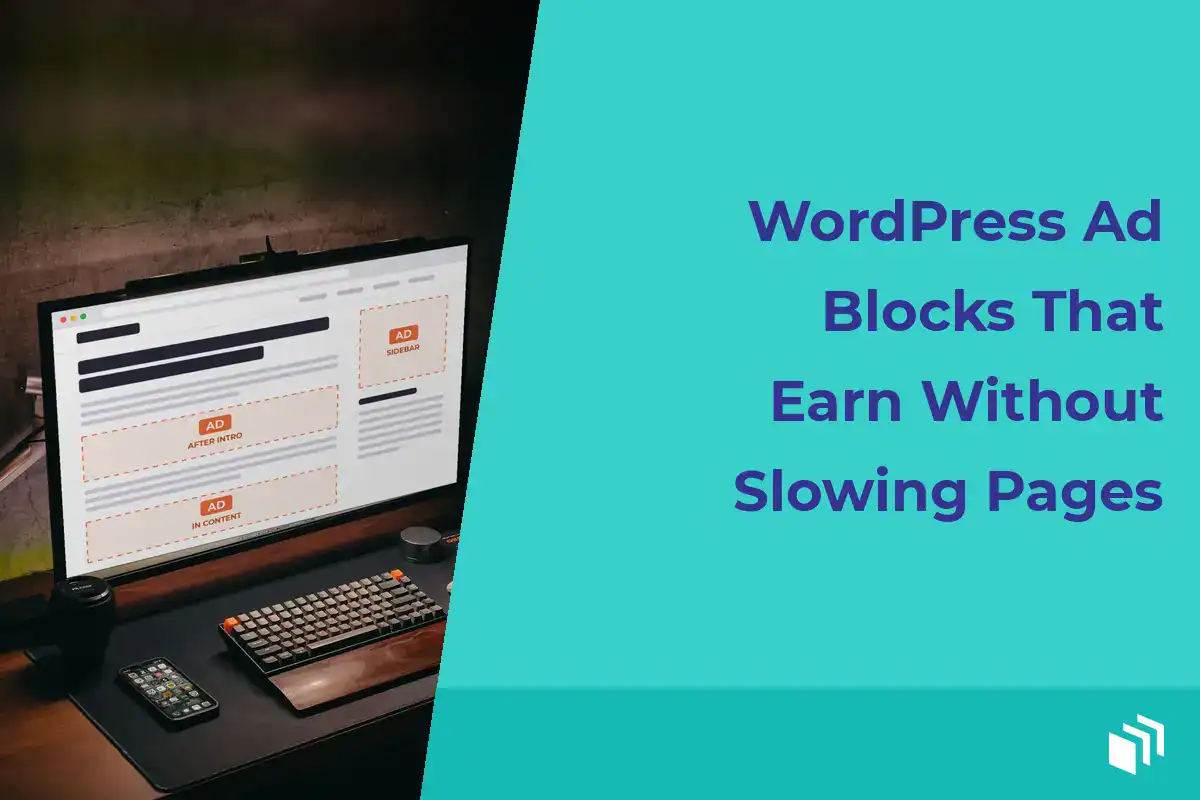
I like to think in moments rather than coordinates. A placement after the introduction can work if the opening has already delivered some value. An ad after a major section works because it shows up at a pause in the reading flow. A sidebar sponsorship might suit a desktop-heavy publication, while a mobile-first site may get more out of carefully spaced in-content placements.
Before building anything, define each placement’s job. Is it for a premium direct sponsor? A rotating house promotion? An ad network unit? A seasonal campaign? One placement can serve different campaign types over time, but it needs a clear purpose.
Choose Placements That Fit the Page
Most content sites don’t need a dozen unique blocks. A small, intentional set is easier to sell, test, and maintain. These four placements cover a lot of publisher needs:
- After the introduction: Useful for campaigns that need broad visibility, as long as the reader gets real context first.
- Within long-form content: Best placed after a complete section or a natural transition, never in the middle of a paragraph, list item, or instruction.
- Sidebar or sticky sidebar: Helpful for desktop-oriented audiences, but it should collapse or move appropriately on smaller screens.
- Below the article: A sensible home for related offers, newsletter promotions, or sponsors that don’t need to interrupt reading.
Header units, footer units, archive-page placements, and custom template positions can make sense too. The trade-off is that every extra location means more QA work across responsive layouts, caching rules, and campaign reporting. A placement that looks fine on a 27-inch monitor can crowd a phone screen or push the actual article way too far down the page.
For direct sales, name your placements clearly. “In-content after section one” is a lot easier for a sponsor to understand than “Block 7.” Clear inventory names also make your internal reporting useful. You can tell whether a campaign worked because of the creative, the audience fit, or the position.
Build WordPress Ad Blocks for Control
I think the best way to build a placement depends on how much control it needs. For a one-off house promotion, a standard block can be enough. For campaigns that rotate, expire, or need reporting, I’d use an ad management plugin designed for WordPress workflows.
That difference really shows up when a campaign ends. Manually inserted code tends to linger in old posts, which leads to expired offers and troubleshooting nobody needed. Managed ads let you create the creative once, assign it to a group or placement, set dates, and replace it later without editing published content.
That’s the kind of workflow we built AdSanity around. It gives you WordPress-native ad creation, scheduling, rotation, placement controls, and reporting for local ads and third-party network creative. It’s particularly useful when a site needs flexibility without taking on the complexity of an enterprise ad server.
Developers should decide early where blocks belong in the theme architecture. Editorial placements might live in the block editor. Sitewide units may be better handled through widget areas, template tags, or custom hooks. That keeps layout logic out of individual posts and gives agencies a reliable way to roll out consistent placements across client sites.
And use a naming convention from the start. Include the position, the device behavior, and the campaign purpose, something like “article-mid-mobile-responsive” or “sidebar-direct-sponsor.” It might feel overly tidy at first. Six months later, sorting through active, scheduled, and archived campaigns, you’ll be glad.
Protect Page Speed and Layout Stability
Advertising earns nothing if it drives readers away before the page finishes loading. When WordPress ad blocks slow a page down, it’s usually the creative and the third-party scripts around them causing it, not the placement container itself.
Self-hosted image ads should be properly sized and compressed. HTML5 units should be tested for file weight, animation behavior, and mobile rendering. Third-party network tags deserve even more attention. They can load external scripts and make extra requests, and they can behave differently depending on the visitor, the auction result, or the consent state.
Reserve space for each unit. When an ad loads late and pushes the article down the screen, readers lose their place and your site racks up layout shift. Ugh. Define dimensions or a suitable responsive container so the page holds the spot before the creative arrives. This matters most for in-content ads, where unexpected movement interrupts reading.
I wouldn’t assume lazy loading is always the answer either. It can cut initial page work for below-the-fold units, but a placement near the top may need to load right away to avoid a blank space. Test the experience on a real phone connection… not only in a desktop browser on a fast office network.
Caching needs a plan too. If ads rotate or campaigns have fixed start and end dates, make sure page caching isn’t still serving an expired creative. Some setups need cache exclusions or a cache purge when campaigns change. The right approach depends on your host, your cache configuration, and how the ad gets rendered.
Schedule Campaigns Before They Become Emergencies
A good ad operation is mostly uneventful. Campaigns start when promised and stop when promised. Nobody has to log in at midnight to swap banners. Scheduling protects your sponsor relationships and saves you from awkward mistakes like running a holiday offer in February (sheesh).
For direct-sold campaigns, I document the basics before building the ad. That means creative dimensions, destination URL, placement, and dates, plus an impression goal if there is one and any frequency expectations. Then check the campaign on the live site after publishing. Preview tools are helpful, but they can’t always replicate caching, device-specific styles, or third-party tag behavior.
Rotation can make inventory more valuable, but only when it’s transparent. If several sponsors share a placement, define how they rotate and report on delivery consistently. Equal rotation is simple. Weighted rotation can make sense when one campaign has a bigger commitment. Either way, don’t promise precise outcomes your traffic level can’t support.
House ads deserve scheduling too. Use unsold inventory to promote a newsletter, product, event, or cornerstone resource, then have those promotions replaced automatically when paid campaigns begin. Your ad blocks stay useful even when no outside advertiser is running.
Measure What WordPress Ad Blocks Are Worth
Impressions and clicks are a starting point, but they’re not the whole story. A placement with strong click-through but poor page engagement might be too disruptive. A sponsor may care more about impressions, while an affiliate promotion might be judged by conversions further down the line. So match the measurement to the campaign goal.
I review results by placement, creative, device, and date range. If a banner underperforms, don’t rush to add more units. First ask a few questions. Does the offer fit the audience? Is the creative clear? Is the placement actually visible? And does the page get enough traffic to produce a sample worth reading?
Keep a simple record of what changed. When you move an in-content placement, change a creative size, or add a new rotation group, write down the date. Advertising data without context can send you chasing patterns caused by a theme update, a seasonal traffic shift, or a campaign that ended early.
Readers can tell when advertising has been bolted onto a site. They can also tell when it supports a publisher who respects their attention. Build a few dependable placements, keep them fast, give your campaigns clear rules, and let every ad earn its space.

Written by
Ready to get started?
Time to take control of your ads.
Find your perfect plan and go for it.
Popular Pro Add-Ons




Our Community
Join our mailing list to keep up to date on everything happening with AdSanity and Pixel Jar.
Note: Your email address will be added to our CRM and be used to receive emails from Pixel Jar. You can unsubscribe at any time.
Our Partners

Ready to Make Money With Your Site?
Get ads on your site in
60 minutes or less
with AdSanity.
With our 14-day money back guarantee, it’s easy to see if AdSanity is the right fit for you.

