
A Publisher Guide to Direct Advertising Sales
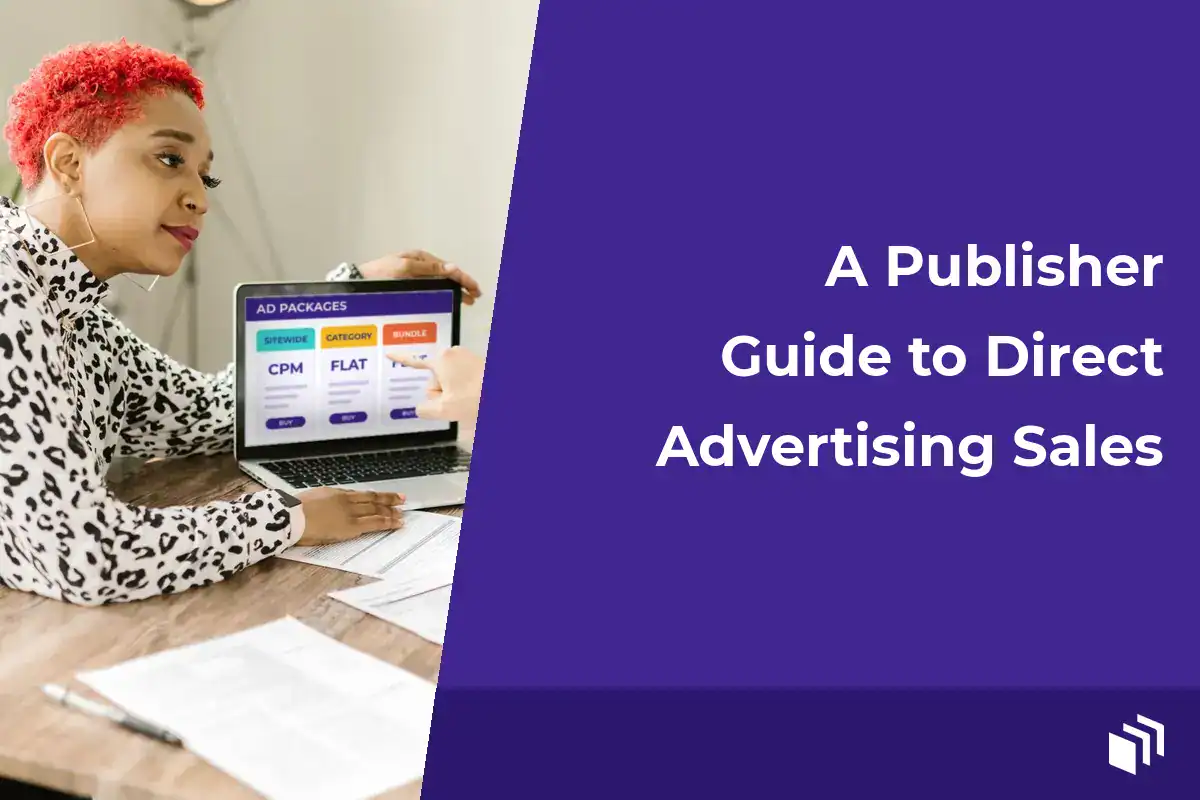
The first time I sold a sponsor spot on a site, it felt a bit like doing a friend a favor. They sent a banner, I pasted it into a widget, and we both kind of forgot about it until the month was over. Direct ad sales get a lot easier once you stop treating every placement like that. So this publisher guide to direct advertising starts with a simple shift in thinking… your website has inventory, your audience has value, and advertisers need a clear way to buy access to both.
For WordPress publishers, I don’t think that takes an enterprise ad server or a sales team. You need a defined offer and sensible pricing. You also need a repeatable campaign workflow, plus reporting that proves what ran. Get those pieces right and direct advertising can sit alongside ad networks, affiliate offers, and sponsored content without turning your site into an operational mess.
Start With Inventory, Not a Rate Card
The first question isn’t “What should I charge?” It’s “What exactly can an advertiser buy?” I like to start by taking stock of the placements already visible on the site (header banners, in-content units, sidebar spots, newsletter sponsorships, category pages, and those high-traffic resource pages everybody lands on).
Not every placement deserves the same price or the same sales approach. A homepage banner gives broad visibility. An in-content unit on a focused tutorial reaches a smaller audience, but one that’s often a lot closer to buying. And a B2B software advertiser might value a niche resource page more than a general homepage impression.
So I write each placement down with its dimensions and typical monthly impressions. I note which devices it shows on and any placement rules, and whether the unit rotates among advertisers or gets sold exclusively. That list becomes the foundation of your media kit. It also saves you from an awkward problem later… selling a slot you can’t reliably deliver.
Keep the number of options manageable. Three clearly defined packages are easier to sell and run than 14 vaguely different placements. You might offer a rotating sitewide display package, a premium category sponsorship, and a newsletter plus display bundle. Buyers should understand the difference without needing a call to decode it.
Price Direct Advertising for the Value You Deliver
CPM pricing is a useful starting point because it ties cost to delivered impressions. Divide the revenue you want by your expected impressions, then compare that with what similar niche publishers charge. But I wouldn’t assume CPM is the only answer.
Flat monthly pricing works well when a placement is exclusive, when traffic is pretty stable, or when the sponsor cares more about a consistent presence than click volume. It’s also simpler for smaller advertisers to budget. A sponsor paying $750 for a month on a relevant category page may prefer that certainty over a campaign that bounces around with traffic.
The right model depends on the inventory and the buyer. High-volume rotating placements often fit CPM packages. Limited sponsorships, newsletter placements, and premium content areas often fit fixed fees. You can also set a minimum campaign spend so setup, communication, and creative review don’t eat the margin.
I’d avoid pricing every slot on pageviews alone, because audience fit matters a lot. A modest site serving WordPress developers, local professionals, or hobbyists with real buying intent can be worth far more than a bigger site with unfocused traffic. Your first few deals will probably need some adjusting, and that’s normal. Look at sell-through rate, renewal interest, and actual campaign delivery before you change prices in a big way.
Build an Offer Advertisers Can Say Yes To
Advertisers buy confidence as much as inventory. Give them a short media kit or sales page that covers your audience and content focus, your traffic range, the placements you have, creative specs, how you price, and how to get in touch. Use real numbers where you can back them up. Don’t inflate reach or promise outcomes you can’t measure.
A good offer sets boundaries too. Say which ad categories you don’t accept and whether you label sponsored placements. Spell out how far ahead creative is due and what happens if a campaign underdelivers. Those details protect your readers, and honestly they make you easier to work with.
In my experience, your ideal advertisers are often already sitting in plain sight. Look at the companies mentioned in your content and the tools your readers use. Check who exhibits at relevant events, who sponsors adjacent newsletters, and who’s buying ads on comparable sites. Then lead with why your audience matches their product instead of a generic “advertise with us” request.
A short, specific outreach message is usually enough. Mention the audience you serve, point to a relevant placement or package, and offer a simple next step. If a prospect wants custom targeting, special creative work, or a guarantee you can’t support, decide whether the revenue is worth the extra complexity. Custom deals can be worth it… they just shouldn’t become your default process.
Make Campaign Operations Boring
I think the best direct advertising workflow is a predictable one. Once an advertiser agrees to a campaign, confirm everything in writing: start and end dates, placement, creative requirements, destination URL, reporting cadence, payment terms, and any impression goal. For smaller campaigns that can be a simple insertion order or agreement. The point is that everyone expects the same thing.
Before an ad goes live, I review the landing page as well as the creative. Broken links, misleading claims, aggressive pop-ups, and slow third-party scripts can all chip away at reader trust. If you accept HTML5 units or third-party tags, test them on desktop and mobile. Check whether they mess with layout, loading behavior, consent requirements, or overall site performance.
I’d also steer WordPress publishers away from manually placing and removing ad code across templates whenever you can. It’s error-prone and hard to audit. And it’s super stressful when a campaign ends on a weekend. Ugh. Use an ad management workflow that lets you schedule campaigns, rotate eligible ads, set placement rules, and retire expired creative from one place.
That practical middle ground is exactly what we built AdSanity for. It lets WordPress site owners manage self-hosted and third-party ads, schedule campaigns, control placements, and track performance without adding a standalone ad server to the job.
Protect the Reader Experience
Direct advertising is valuable because you control the relationship, but that control comes with some responsibility. Reserve enough space for ad units so pages don’t jump around as creative loads. Keep the number of placements reasonable. And make ads easy to tell apart from editorial content, especially when a sponsor shows up inside or next to an article.
Frequency matters too. A rotating campaign can technically hit its impression target while showing the same advertiser way too often to a loyal reader. If your ad tool supports rotation and limits, use them with some care. You want a campaign that’s visible, not one that makes readers feel chased around your site.
Report What Happened, Not What You Hope Happened
Reporting is what connects a sold campaign to a renewal. At minimum, I share delivered impressions, clicks, click-through rate, campaign dates, and the placements used. If the agreement includes a fixed number of impressions, show progress before the campaign ends so you can fix delivery issues early.
Clicks are useful, but they aren’t the whole picture for display advertising. Brand visibility, repeated exposure to a qualified audience, and referral traffic that converts later can all matter. Be honest about what your site can and can’t measure. Unless an advertiser has conversion tracking installed and agreed to share the data, don’t claim sales results you can’t verify.
A short campaign recap does a lot more than a spreadsheet dump. Explain whether delivery met the agreed target, call out the strongest placement where it’s relevant, and suggest a sensible next test. Maybe a sponsor should renew on the same category, run longer for steadier frequency, or try a newsletter slot alongside display ads. Those recommendations should come from the campaign data, not from a push to sell more inventory.
Turn One Campaign Into a Repeatable Revenue Channel
Renewals are usually easier than first-time sales, so I start renewal conversations before a campaign expires. If the advertiser had a good experience, offer a continuation date while the placement is still open. If results were mixed, talk about what could change. That might be new creative, a better audience match, a different group of pages, or a more realistic delivery target.
Keep a simple record of advertisers, campaigns, rates, creative performance, payment status, and notes from each conversation. Over time it shows you which packages sell and which categories renew. It also shows which placements make too much work for too little revenue. And if you’re an agency or run several sites, it helps keep operations consistent across properties.
Direct advertising isn’t the right fit for every page or every publisher. Sites with limited traffic may need to lead with sponsorship value and niche relevance instead of impressions. High-traffic sites might do well combining direct deals with network ads that fill unsold inventory. I don’t think direct sales need to replace every other revenue source. They just give you more control over the inventory that matters most.
So start small. Pick one placement you can describe clearly and one advertiser category that really fits your readers. Then build one campaign process you can deliver without scrambling. A solid first campaign gives you something a lot more useful than a sales pitch… proof that your site can run direct advertising on your terms.

Written by
Ready to get started?
Time to take control of your ads.
Find your perfect plan and go for it.
Popular Pro Add-Ons




Our Community
Join our mailing list to keep up to date on everything happening with AdSanity and Pixel Jar.
Note: Your email address will be added to our CRM and be used to receive emails from Pixel Jar. You can unsubscribe at any time.
Our Partners

Ready to Make Money With Your Site?
Get ads on your site in
60 minutes or less
with AdSanity.
With our 14-day money back guarantee, it’s easy to see if AdSanity is the right fit for you.

