
Once you have installed the Advertiser Reporting add-on, you’ll be able to create WordPress user accounts for your advertisers. This will give them access to the reporting area for their ads and notify them by email when their ads are set to expire.
Creating Advertisers
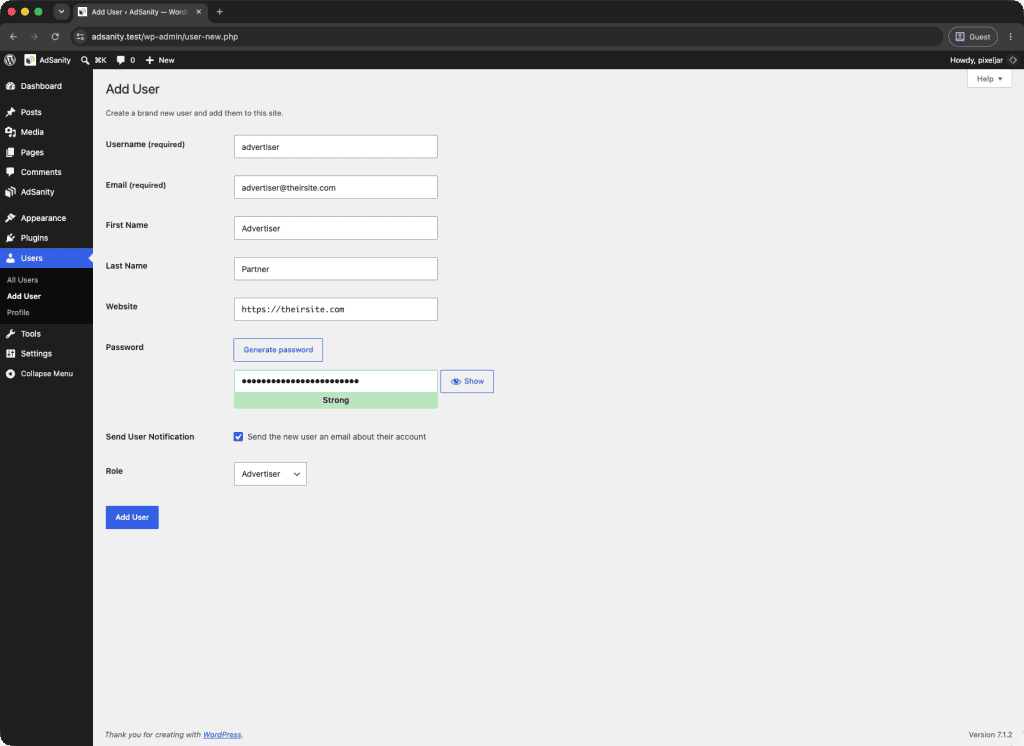
Adding advertisers to your website is easy. Simply head into your Dashboard and click Users on the left. Fill in their information and set their role to Advertiser.
Assigning Advertisers to an Ad
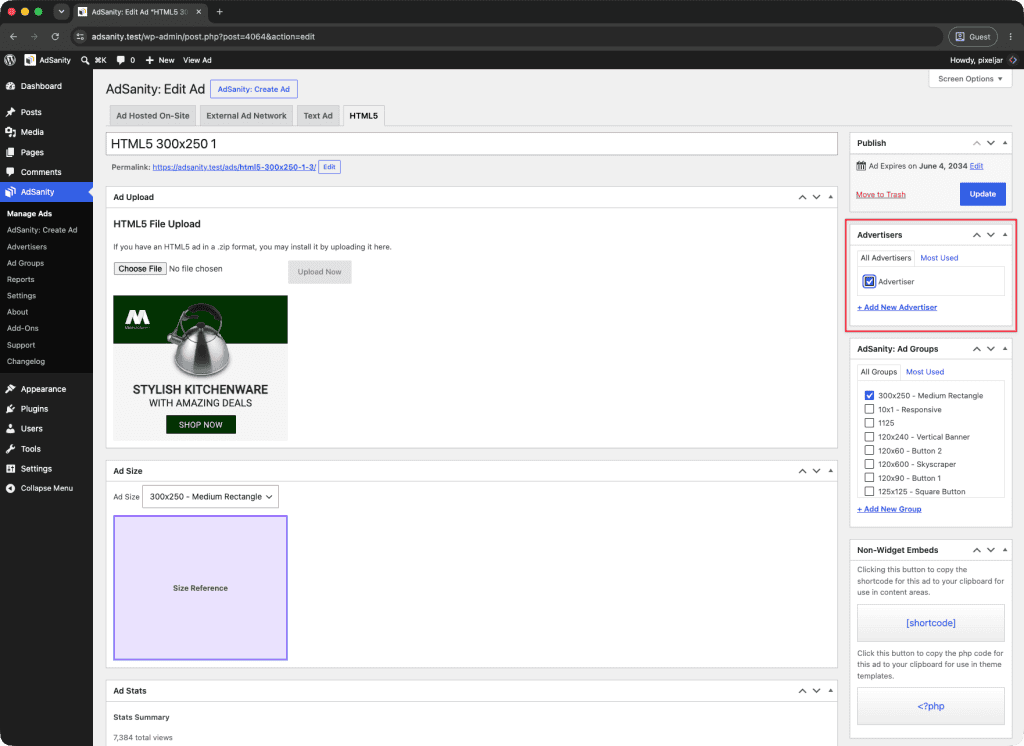
Once the user is created, you need to assign each ad to the relevant advertiser. This is done when creating new ads or editing current ones on the right side of the dashboard in the Advertiser’s area. A full list of your advertisers is visible under the Advertiser tab, and all you need to do is check the appropriate box.
In the Advertisers tab of the AdSanity plugin, you can edit each Advertiser.
Onboard Your Advertiser
Your advertiser can easily log in to your WordPress site dashboard. We recommend providing them with https://yourwebsite.com/wp-login.php as the entry point since it will also allow them to reset their password on their own if they forget it.
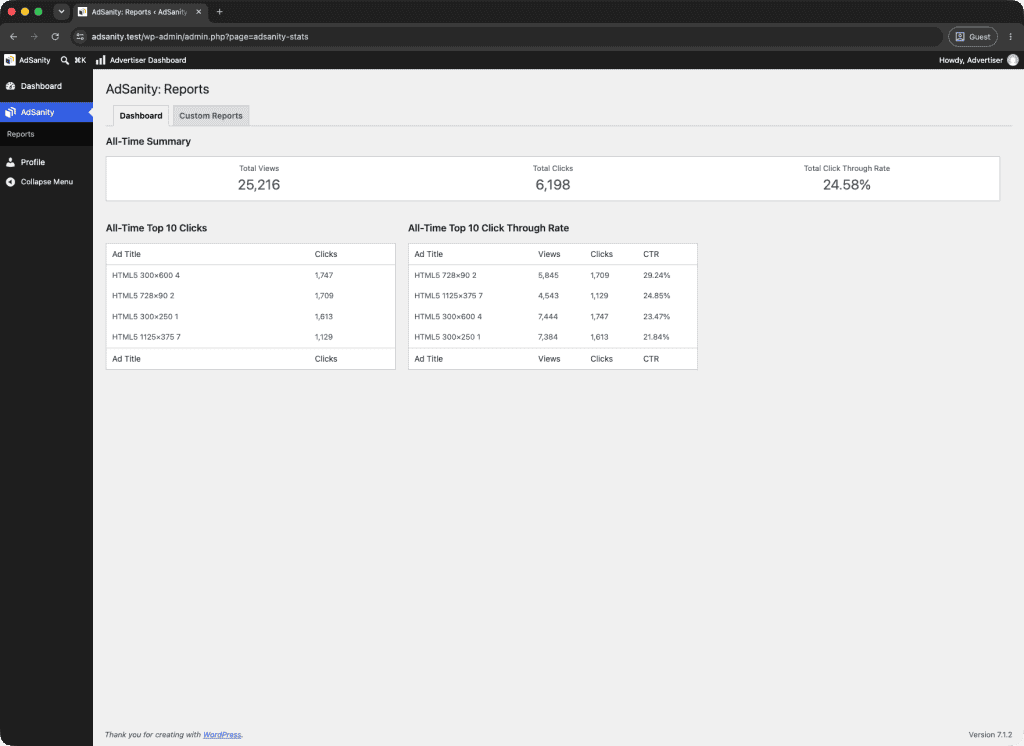
From here, they will have direct access to the report statistics for their ads with no navigation necessary.
This is an example of the interface advertisers will see when they log in to check on their ads:

Setting Up Automated Reminder Emails
To set up automated emails to let your Advertisers know when ads are going to expire – go to your Painel de controle and click on AdSanity on the left. Click on Settings and then go to the Add-Ons tab in the middle section. Here you can craft the automated email template that will be sent out to let your advertisers know their ad is set to expire.
You can include custom fields to make the email more personal and ensure they receive the relevant information by using the *|NAME|*, *|AD|*, *|DATE|*, and *|DAYS|* fields.

Advertiser Reporting – $49.00 USD/yr
Didn’t find what you were looking for?
If you’re a subscriber to AdSanity and don’t find an answer to your specific question please submit a request and our support department will address your issue quickly.

